
Made with Flash (NOT!)

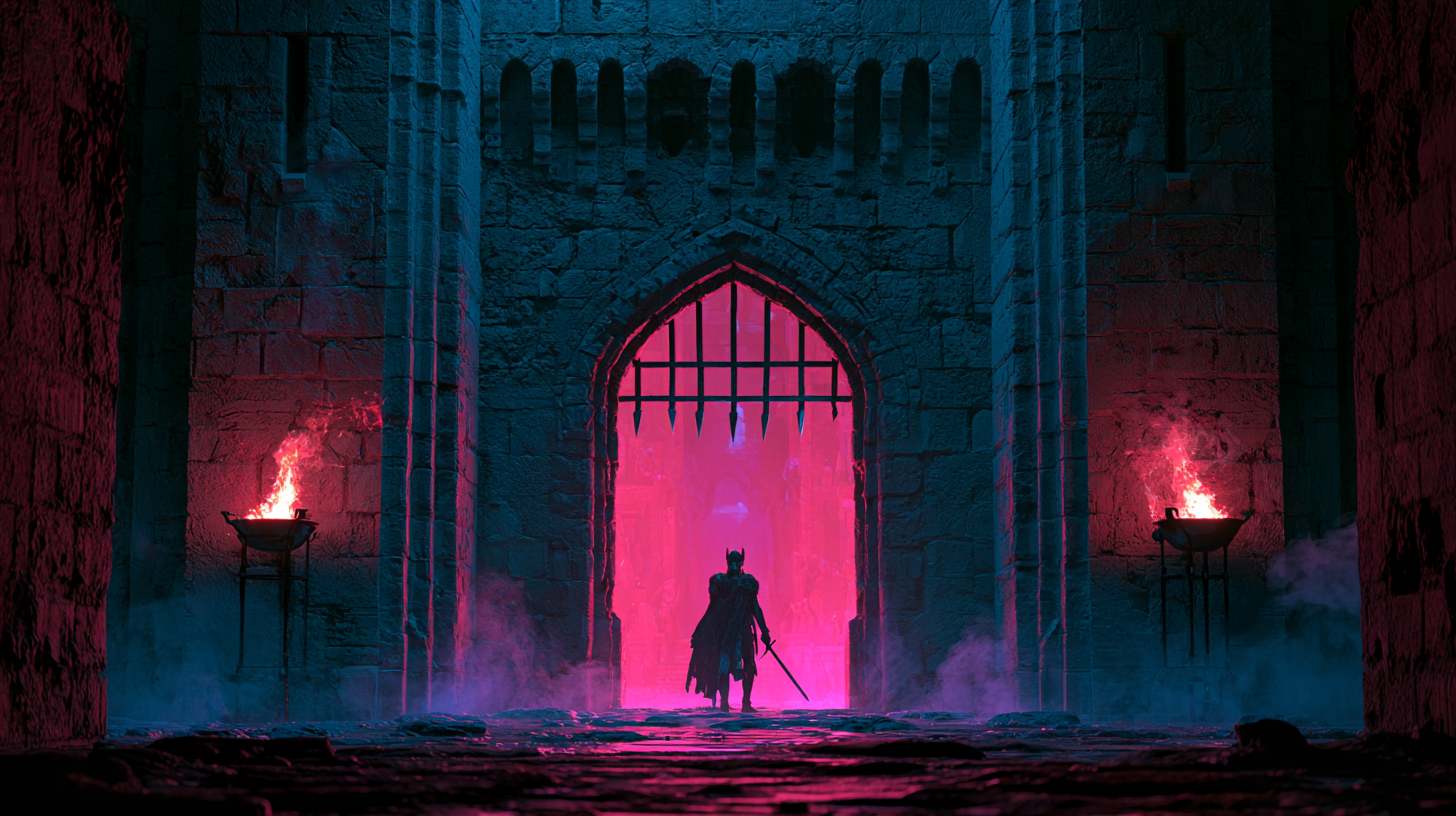
Do you remember Flash websites? I'm talking about the promotional websites for games.

You'd type in the address, wait for the loading bar to crawl its way to 100%, and then...you didn't just land on a homepage. You went through something. A demonic gate would creak open. The camera would swoop down into a castle. Some ominous music would kick in that you definitely couldn't turn off.
It was a mini cutscene before you'd even clicked anything!
These sites were built to feel as close to the thing they represented as possible. The buttons looked like they'd been pulled straight out of the game's menus. The backgrounds were the game's actual environments. Sometimes your cursor was a sword. You weren't reading about the game...you were already halfway inside it.

And it wasn't just the big studios doing it either. I want to give a massive shout-out to everyone who built their own little corner of the internet on Geocities and Freewebs. The fan sites, the guild pages, the "Welcome to my homepage!" pages with an under construction sign that never came down 🚧

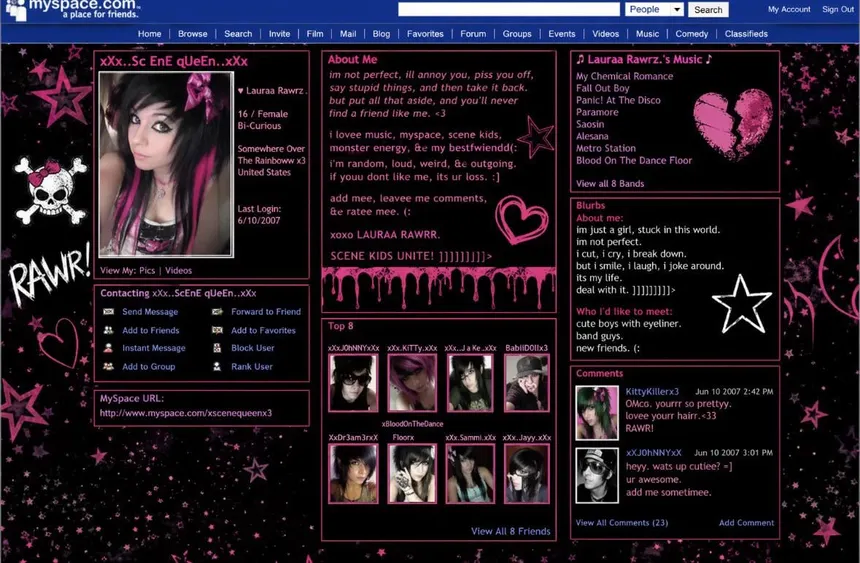
And then there was Myspace. You didn't need to be a web developer to have a website that said who you were. You just needed a sparkly background, a song that autoplayed the second someone landed on your page, and a Top 8 that caused far more drama than it should have 😅
None of it was "best practice". Half of it was copied and pasted from somewhere else. But every single page had personality.
Eventually the web grew up. We got responsive layouts, accessibility, performance budgets...all good things! But somewhere along the way, a lot of websites started to look a bit...samey.
So I set myself a little experiment. I wanted to build a website for a band, Aionos, whose songs are all about the age of gods. And I wanted it to feel like stepping into that world. Titans, realms, skies that change as you move between them.
But not as crazy. No four minute loading bars. No music blasting at you the second the page opens. And definitely no hunting around for a hidden "Enter" button 🙈
Made with Flash? Not quite. But I wanted it to feel like it was.
Familiar territory
Before we get into the shiny stuff, let me take you back a bit. Way back to my early days of programming 👴
I was teaching myself C++ using the Code::Blocks IDE. And like anyone learning a new language, I didn't start by reading the documentation cover to cover. I found the most interesting looking examples I could and pulled them apart to see how they worked.
That's how I found openFrameworks. It's an open source C++ toolkit for creative coding, and it came with a lot of examples. Particles, sound, video, 3D...it was like being handed a box of toys 🙌
The one that hooked me was a fluid simulation.

Under the hood it was built on the Navier-Stokes equations, which describe how fluids like water and smoke move. Now listen...I'm not going to pretend I understood every bit of the maths. These equations are so tricky that proving certain things about them is one of the Millennium Prize Problems, with a million dollars up for grabs if you can crack it...which apparently OpenAI has (with a bit of underlying drama!).

But that wasn't really the point. What I did learn was how to think like a graphics programmer. Every openFrameworks app had the same three building blocks:
setup()to get everything readyupdate()to move things along a tiny bitdraw()to paint the result to the screen
And then it does that again. And again. Dozens of times a second. Under the hood it was all OpenGL, pushing pixels around the screen as fast as it could.
Fast forward to today, and guess what the canvas asks you to do? Grab a graphics context, work out what's changed, draw the frame, and ask the browser for another one with requestAnimationFrame.

So when I picked up the canvas for Aionos, it didn't feel like learning something new. It felt like I already knew what to do...
The first idea: put HTML inside the canvas!
Now, when I first sat down to plan this, my brain went straight to the most exciting (and least necessary) idea possible 🤓
What if I could put real HTML inputs inside the canvas?
Picture it. A text box carved into a stone tablet. A button glowing inside a temple wall. All drawn into the scene, but still a proper, working form underneath.

Listen...normally that's a big no. A <canvas> is just a bitmap. You draw pixels on it, and that's it. Anything you put inside the <canvas> tag is treated as fallback content, which basically means it's invisible unless the browser can't render the canvas at all.
So if you wanted a "form" in your canvas, you either had to draw a fake one yourself (and handle the typing, the cursor, the focus...all of it 😩), or float a real HTML element over the top and hope it lined up.
Enter HTML-in-Canvas
There's a proposal from the WICG called HTML-in-Canvas that changes all of that. It lets you take real, styled DOM elements and draw them straight into a 2D, WebGL or WebGPU canvas. And because they're still real elements, they're still accessible, you can still tab into them, and the browser still does all the hard work of laying out the text.
The main pieces are:
- An attribute on the
<canvas>that tells the browser "lay out my children, don't just treat them as fallback" drawElementImage(), which draws one of those children into the canvas, a bit likedrawImage()but for HTML- A
paintevent, which fires whenever one of those children changes, so you know when to redraw
You want to see some code?
<canvas id="canvas" content="drawable">
  <form drawable id="tablet">
    <label for="name">Speak your name, mortal:</label>
    <input id="name">
  </form>
</canvas>

<script>
  const ctx = canvas.getContext('2d');

  canvas.onpaint = () => {
    ctx.reset();
    ctx.drawElementImage(tablet, 100, 50);
  };
</script>
That's a real <input>. You can click into it, type in it, and it shows up inside the canvas, ready to have shaders and effects thrown at it 🔥

The catch
It's still very much an experiment. Right now you'll need Chrome Canary or Brave, and you have to switch on a flag by pasting this into your address bar:
chrome://flags/#canvas-draw-element
If you want to see what it can really do, html-in-canvas.dev has a gallery of demos, including HTML rendered onto surfaces in a 3D room and live forms running underneath shaders. It's well worth a poke around 👀
I was sold. I just needed a reason to use it...
Ambition vs reality
...turns out I didn't have one 😅
That didn't stop me trying though. I had a few goes at shoehorning HTML-in-Canvas into the site, and every time I ended up asking myself the same question: what is this input actually for?
It's a band website. People come to listen to the music, find out when the next gig is, and maybe read a bit about the band. There's no login. There's no search. There isn't a form crying out to be carved into a stone tablet.
And then there's the bigger problem. Nobody visiting the site has the flag switched on! Building the main experience on an API that only works in Chrome Canary (after a trip to the flags page) is a great way to make a website that nobody can actually see 🙈
Oh, and the API was moving while I was playing with it. The explainer on GitHub now uses content="drawable" on the canvas, while some of the examples floating around still use a layoutsubtree attribute. That's not a complaint (it's an experiment, that's the whole point), but it's another reason not to build your house on it just yet.
But wait, there's more!
HTML-in-Canvas wasn't the only shiny thing I got distracted by.
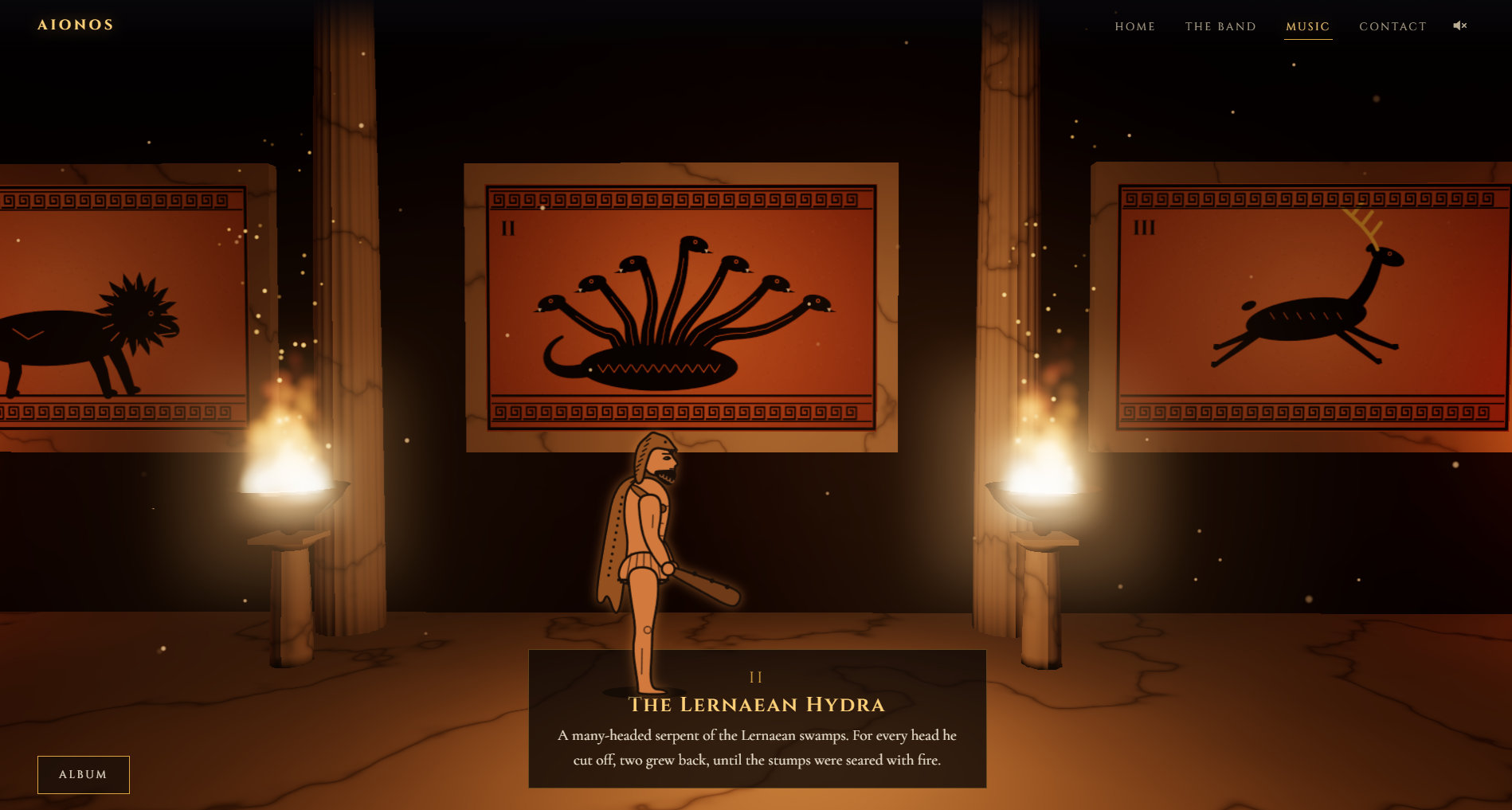
The hall. I had this idea of the visitor walking through a great hall, with an animated character strolling along like a side-scrolling platformer. You'd scroll, they'd walk, and the different sections of the site would be rooms you passed through on the way.
The 3D. Then I started playing with Three.js to build interactive 3D elements. Spinning relics, floating temples, things you could grab and move around...
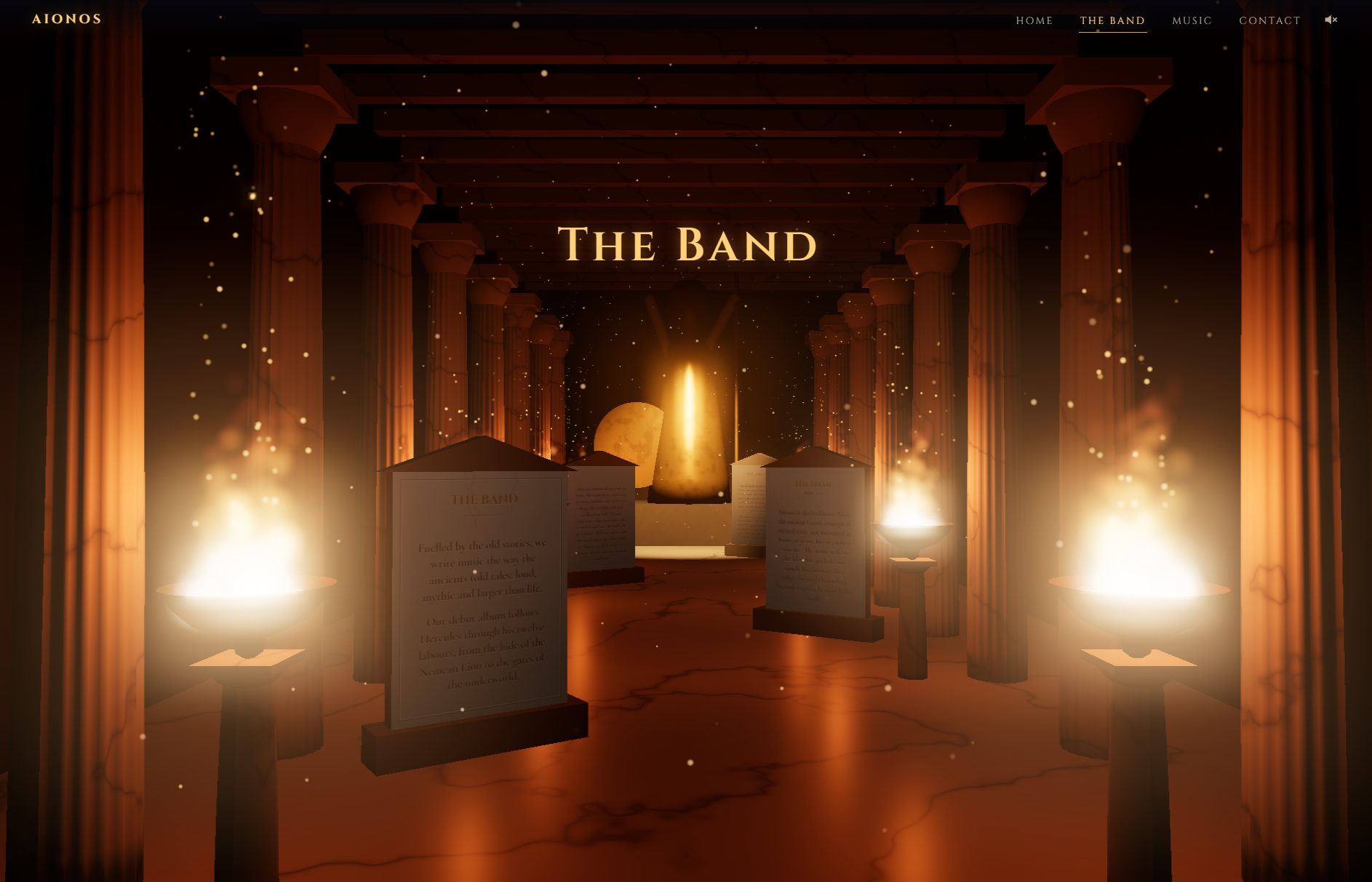
All of it was fun. None of it was finished. And every one of them added a whole new set of problems on top of the problem I actually had, which was: make a band site that feels like stepping into another world.
Start simple, right?!
So I took a step back. Instead of trying to build an entire game, I asked myself what the smallest thing was that would make the site feel immersive.
The answer was the sky.
If the sky behind everything could shift and change as you moved between realms, then the whole site would feel like a journey without me having to build a single walking animation. Get that right first, learn from it, and then build on top of it.

Learning something new
Here's a confession. Before Aionos, I had never written a shader 😬
I'd used them plenty of times without realising (pretty much every game I've ever played is full of them), but actually writing one? Nope. So of course I decided the very first one I'd write would power the entire background of the website. Across five different realms. Blending into each other.
Start simple, I said...

So what is a shader?
In plain English, a shader is a tiny program that runs on your graphics card. The one I cared about is called a fragment shader, and its job is ridiculously simple: given this one pixel, what colour should it be?
The trick is that it runs for every single pixel, all at the same time. So instead of drawing a sky, you write a little recipe that any pixel can follow to work out its own colour.
It's a totally different way of thinking. You don't say "draw a cloud here". You say "if you're a pixel, here's how cloudy you are" 🤯

The one triangle trick
To get the shader running across the whole screen, you need to give it something to draw on. You might expect a rectangle made of two triangles, but there's a neat trick where you use one giant triangle that's bigger than the screen:
// One triangle that covers the whole screen.
gl.bufferData(gl.ARRAY_BUFFER, new Float32Array([-1, -1, 3, -1, -1, 3]), gl.STATIC_DRAW);
The bits hanging off the edge just get clipped, and every pixel on the screen ends up inside it. One triangle, job done 🙌

Making smoke out of maths
This is where my old fluid simulation friend comes back in. Except this time I'm not simulating anything. I'm faking it 😎
The secret ingredient is noise. Not the loud kind, the random-but-smooth kind. Then you stack several layers of it on top of each other, each one smaller and fainter than the last. That's called fbm (fractional Brownian motion, if you want to impress people at parties):
float fbm(vec2 p) {
  float v = 0.0, a = 0.5;
  for (int i = 0; i < 5; i++) { v += a * n(p); p *= 2.03; a *= 0.5; }
  return v;
}
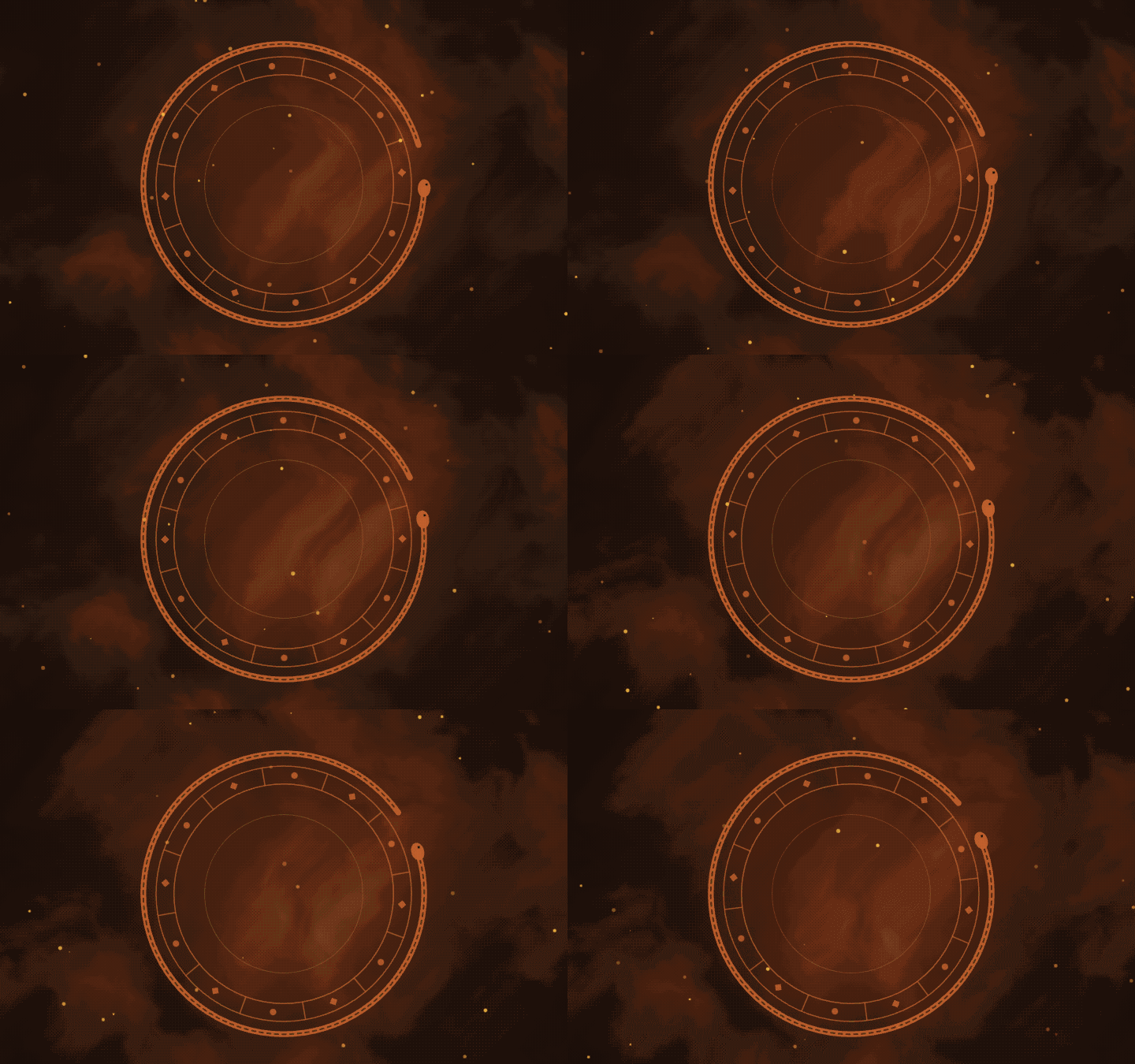
Five layers of noise, and suddenly you've got something that looks like smoke, clouds or swirling mist. Nudge it along with time and it starts drifting. No Navier-Stokes required!
One shader, five realms
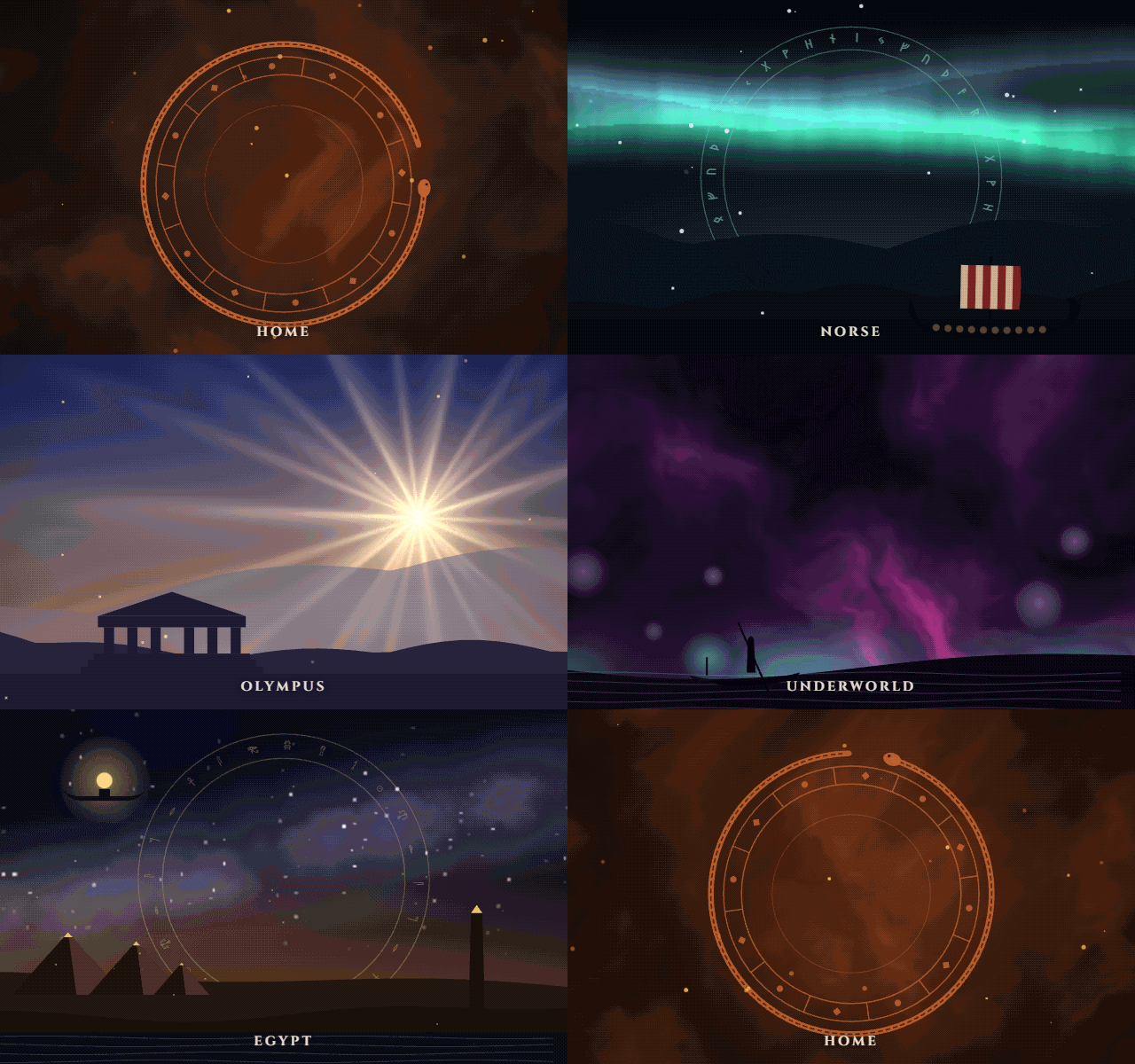
Aionos has five realms, and each one needed its own sky:
- Home: smouldering embers of cloud around a warm core
- Norse: a polar night with curtains of aurora and twinkling stars
- Olympus: a golden dawn with rays fanning out from the sun
- Underworld: violet smoke veined with red, and a pale glow off the river
- Egypt: a lapis night with a river of stars over an amber horizon
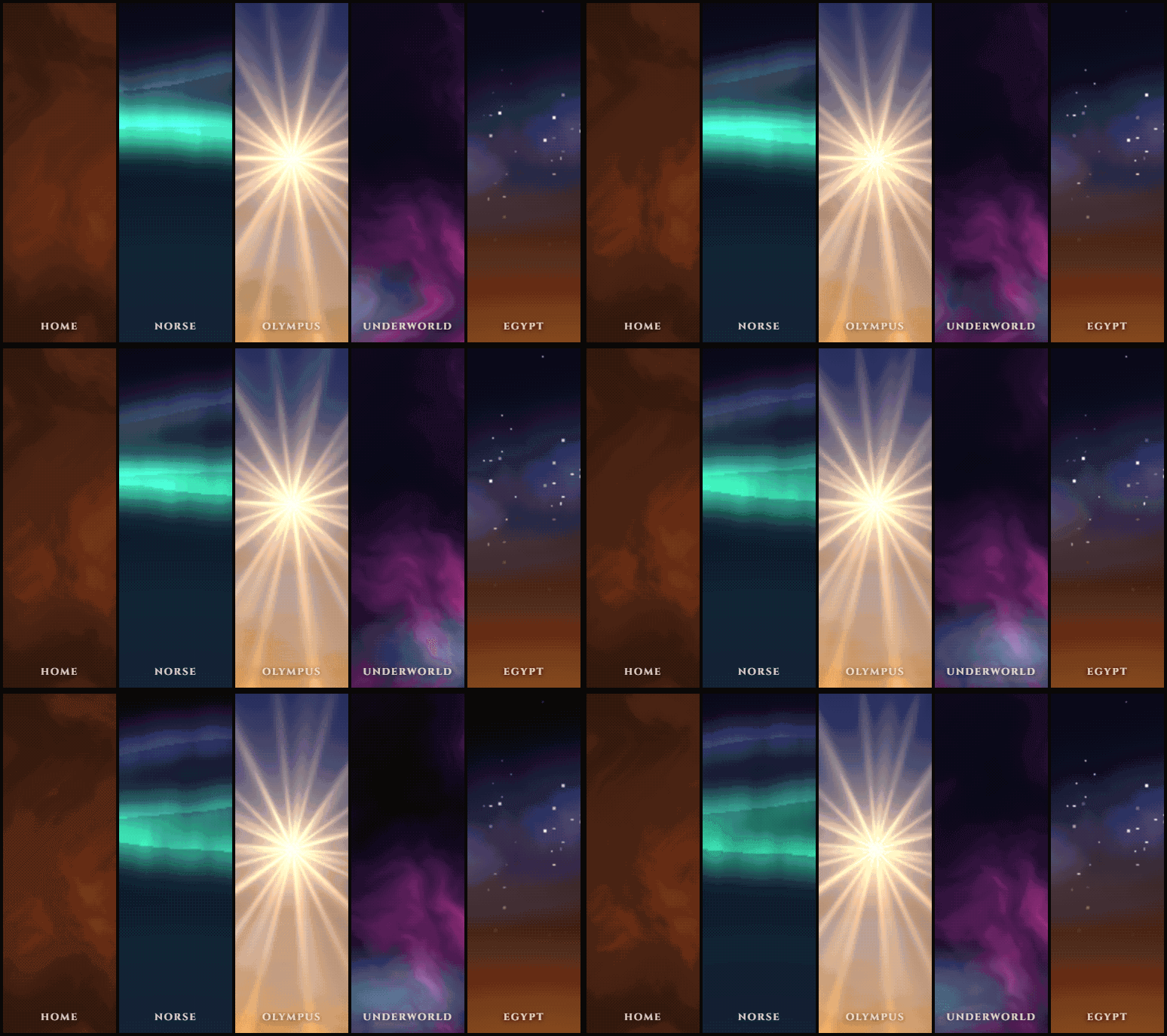
Rather than five separate shaders, it's one shader that paints them all. Each realm gets a weight between 0 and 1, and the final colour is just each realm multiplied by its weight and added together:
// Home: smouldering embers of cloud around a warm core.
if (w.x > 0.001) {
  // ...work out the colour for this realm...
  col += c * w.x;
}
When you move from one realm to another, the weights slide across. Olympus fades down, the Underworld fades up, and for a moment you're somewhere in between. No hard cuts, just a slow dissolve.
Fun fact: the weights are passed in as a vec4, which holds...four numbers. Five realms. So Egypt got its own separate uniform, e, tacked on the end 😅
Why it was a pain
Shaders don't really give you much to go on when things go wrong. There's no console.log inside a shader. You change a number, refresh, and either the sky looks a bit better, a bit worse, or the whole screen goes black and you've got no idea why 🖤

A lot of my time was spent tweaking a value, refreshing, squinting, and tweaking it again. Honestly, it felt a lot like those early days pulling apart the openFrameworks examples.
A couple of cheeky optimisations
Half resolution. The sky is all soft noise, so nobody's going to notice if it's a bit blurry. The canvas renders at half the size and gets stretched to fit the screen, which means the graphics card only has to colour a quarter of the pixels:
resize(width, height) {
  this.canvas.width = Math.max(1, Math.round(width * 0.5));
  this.canvas.height = Math.max(1, Math.round(height * 0.5));
  this.gl?.viewport(0, 0, this.canvas.width, this.canvas.height);
}
A fallback. If WebGL isn't available, the site doesn't fall over. Each realm has a simple CSS gradient that stands in instead. It's not as pretty, but you still get a sense of where you are.
It's the first shader I've ever written. It's probably not the best shader ever written. But every time the sky dissolves from one realm into the next, it makes me happy. 😁
Everything is a class (yes, even in JavaScript)
I'm going to say something that might upset a few JavaScript developers...
I like classes!

I know, I know. In JavaScript you can get a long way with a handful of functions and some modules. But I like having one thing that's responsible for one job, with all of its behaviour living in one place.
Thanks, Unity
I think this comes from when I tried my hand at game programming with Unity. In Unity, everything in your game is a game object, and you give each one a script with its own special behaviour. It knows how to start itself up, how to update itself every frame, and how to react when something happens to it.
The game doesn't micromanage the door. The door knows how to be a door!

That way of thinking stuck with me. And it's exactly how the Aionos site is put together. The sky is a Sky class. The sound is a Drone class. The rest of the site just says "we're in Olympus now", and each of them works out what that means for themselves.
Meet the Drone
The background sound on the site isn't an audio file at all. It's a low drone that's synthesised in the browser: a couple of slightly out of tune saw waves, a fifth and an octave on top, all running through a filter that slowly sweeps up and down. Each realm has its own root note, and when you change realm, the drone glides over to it.
Here's the shape of it (with the Web Audio wiring trimmed out, so we can focus on the class):
class Drone extends EventTarget {
  constructor() {
    super();
    this.ctx = null;
    this.on = false;
    this.root = REALMS.home.drone;
    this.voices = [];
  }

  start() { /* fade the drone in */ }
  stop() { /* fade it back out */ }

  toggle() {
    if (this.on) this.stop();
    else this.start();
  }

  glideTo(realm) {
    this.root = REALMS[realm].drone;
    if (!this.ctx) return;
    for (const [osc, ratio] of this.voices) {
      osc.frequency.setTargetAtTime(this.root * ratio, this.ctx.currentTime, 1.2);
    }
  }

  // A distant roll of thunder, for Zeus's lightning over Olympus.
  thunder() { /* ... */ }
}

export const drone = new Drone();
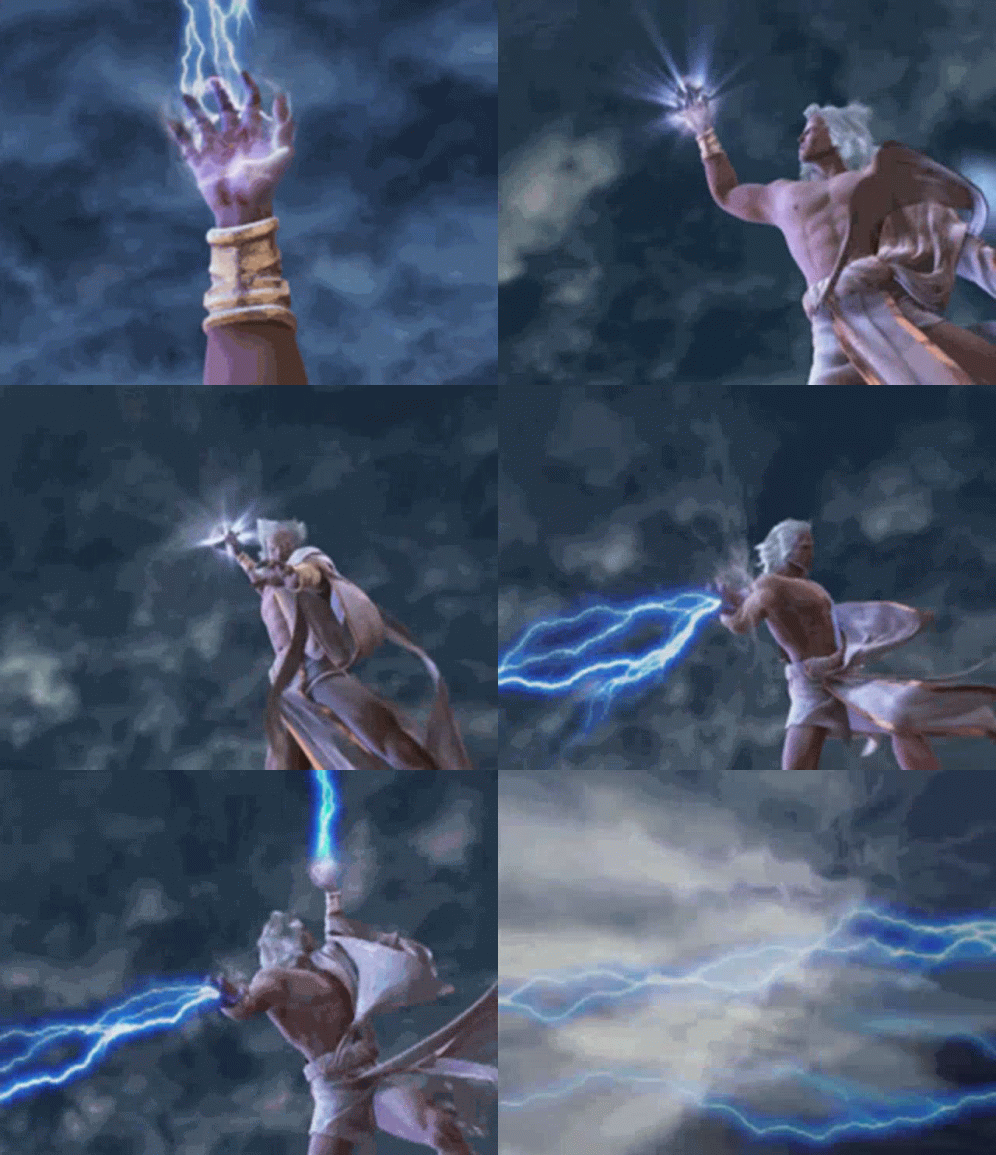
Yes, there's a thunder() method. Yes, it's just for Zeus. No, I'm not sorry ⚡
Why I like it this way
It looks after itself. Anything that wants sound just calls drone.toggle() or drone.glideTo('olympus'). Nobody else needs to know about oscillators, filters or gain nodes.
It tells people when it changes. Because Drone extends EventTarget, it can fire a change event whenever it switches on or off. The sound button in the header just listens for that and updates itself. The drone doesn't even know the button exists!
It matches the sky. Look at glideTo for a second. The pitch doesn't jump to the new note, it drifts there. That's the same idea as the sky dissolving between realms. Nothing cuts. Everything slides.
Give everything its own job, and let it get on with it!
Keeping it "not as crazy"
Remember those Myspace pages? The ones where a song started blasting the second the page loaded, and you were frantically hunting for the pause button before your parents heard? 😅

I wanted Aionos to feel immersive, but I didn't want to bring back the bad bits. So I set myself a few rules.
Rule 1: Ask before making noise
When you first land on the site, you get a loading screen while the Titans wake up. Once they're awake, you get a choice:
- Enter with sound
- Enter quietly
That's it. No surprise audio. No hunting for a mute button. If you change your mind later, there's a sound toggle in the header that you can flip whenever you like.
To be fair, browsers have my back on this one. These days they won't let a page play audio until you've clicked on something anyway 👌
Rule 2: Let people skip
As much as I love a good cutscene, not everyone wants to sit through one. Maybe you've seen it before. Maybe you just want to know when the next gig is. So there's a Skip intro button right there from the start.

Nobody should have to earn the right to see a website 🙏
Rule 3: Be kind to people who don't want motion
Some people find a lot of movement on screen uncomfortable, and they can tell their device to reduce motion. The browser exposes that through the prefers-reduced-motion media query, so the site can calm things down for them:
const calm = window.matchMedia('(prefers-reduced-motion: reduce)').matches;
The realms are still there. They just don't swirl around as much.
Rule 4: The words are still words
This is the big one. All the fancy stuff lives in the background. The navigation, the headings, the album info and the gig dates are all proper HTML sitting on top of the canvas. They're not drawn into it.
That means screen readers can read them. Search engines can find them. You can select the text and copy it. And if WebGL isn't available, the CSS gradient fallback steps in and you still get the actual content.

Funnily enough, that's the exact problem HTML-in-Canvas is trying to solve. But for a site like this, I didn't need the words inside the canvas. I just needed the canvas to sit behind them and look pretty.
Wrapping up
So...did I bring back Flash? Not quite. But I think I got pretty close to the bit that mattered.

The thing I loved about those old promo sites, and all those Geocities, Freewebs and Myspace pages, was never really the technology. It was that they felt like something. You landed on them and you knew exactly whose corner of the internet you were standing in.
Here's what I'm taking away from this one:
- Start simple. I wanted a walking character, 3D relics and HTML inputs carved into stone tablets. What I actually needed was a sky. Get the small thing right, then build on it.
- Old knowledge never really goes away. Fiddling with openFrameworks examples in Code::Blocks all those years ago is the reason the canvas felt like home.
- Shaders are scary, until they're not. I'm still no expert, but I'm not frightened of a black screen anymore. Well...not as frightened 😅
- Give things their own job. A
Skythat knows how to be a sky and aDronethat knows how to be a drone made the whole thing so much easier to reason about. - Immersive and accessible aren't enemies. Let people choose the sound, let them skip, and keep the words as real HTML.
So what about HTML-in-Canvas?
I didn't need it this time, but I haven't given up on it. I can definitely see it earning its place somewhere like a game menu, or text on a screen inside a 3D scene, where you genuinely want real, accessible HTML living inside the graphics. Once it's out from behind that flag, I'll be dusting off the great hall idea 👀

If you want to see how it all came together, go and have a wander through the realms at aionosband.com.
Websites don't all have to look the same. Go and build something with a bit of personality.