Leaving Ghost: Rebuilding My Blog with Astro
I swapped a monthly subscription for a static site I built myself, because I wanted to see the power of Astro!
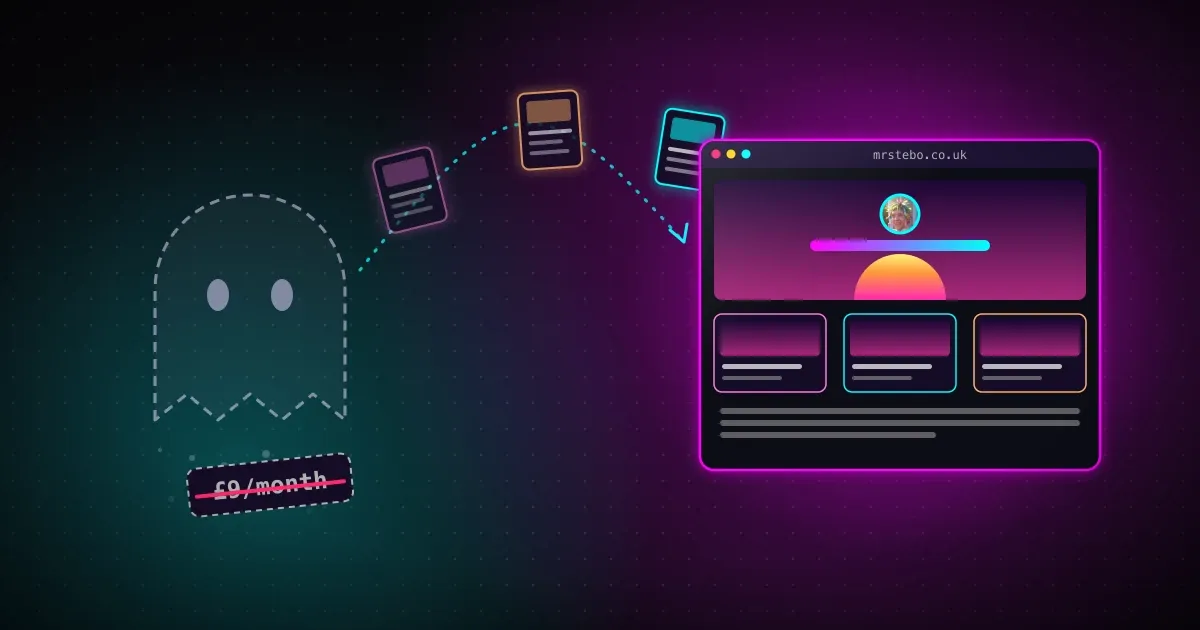
I have a confession to make. For the last few years I've been paying for a blogging platform and using about a fifth of it.
This blog ran on Ghost. It didn't start there, though. My first posts went out on Medium, which was free, but I wanted more flexibility over how my blog looked and worked than Medium gave me. So I moved to Ghost. And Ghost is great! It has memberships, paid subscriptions, newsletters, comments, a slick editor... and I really only used the editor 🙈 Everything else just sat there, quietly being paid for.
I did have a few subscribers (hello, if that's you 👋). But the more I used Ghost, the more it felt like a platform built for a different kind of writer: write posts to grow a list of subscribers, then upsell premium content to them. That's never been my goal. I'm a serial over-sharer! If I've learned something, I want to put it out there for anyone who might find it useful, not lock it behind a paywall.
It wasn't a lot of money. Around £8-9 a month. If I'm honest, that's not the reason I moved. The reason is that I'd just done something very similar at work, and I couldn't stop thinking about it.
Where the idea came from
At Care Friends we recently moved our marketing website off WordPress. It had been looked after by a third party for years, and like most WordPress sites it came with an admin login, a database, PHP and a stack of plugins, all sitting on the internet waiting to be patched. After the run of PHP vulnerabilities this year (I wrote about patching PHP2Shell if you fancy reliving that), we decided the safest server-side code is the code you don't run at all.
So we rebuilt it with Astro. Every page is built ahead of time into plain HTML and CSS. There's no admin login to guess, no database behind the pages, and nothing to assemble when someone visits.
The bit I loved most was how we got there. Rather than redesigning everything, we went through the old site and listed the patterns that kept repeating: big introductions, rows of stats, testimonials, questions and answers. Each one became a reusable block with a single schema. That one schema drives:
- how the block is rendered,
- the form you fill in to edit it (in a little page builder that only runs locally), and
- the checks that stop a broken page from ever being built.
Halfway through that project I looked at my own blog and thought... I could do this here too.
In the spirit of learning
Could I have just kept paying the £8-9 and carried on writing? Absolutely. But if you've read my about page you'll know I'm not happy unless I'm building something, or learning how to.
And a blog is the perfect playground for that. It's mine, nobody's waiting on it, and if I break it... well, I'll probably write a post about breaking it 😅
The goal was simple:
- Own it. Every page is a file in a Git repository I control.
- Keep it static. Pre-built HTML, served from AWS, with nothing running on a server.
- Keep every URL. Years of posts are linked from all over the place. None of those links were allowed to break.
- Make it fun. If I was going to build my own blog, it was going to look like my blog.
Breaking the old blog down
Just like the Care Friends website, I started by taking the old site apart. Ghost was running the Casper theme, and between the theme and Ghost's editor "cards", everything on the site boiled down to a fairly short list:
| On Ghost | On the new site |
|---|---|
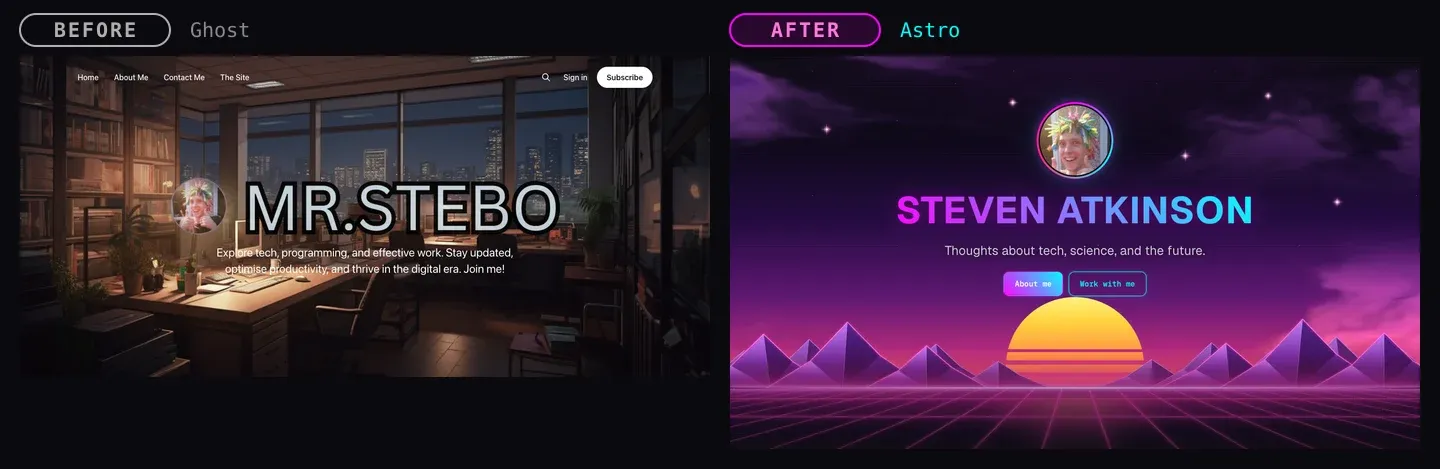
| The home page header (logo, description, cover image) | A hero block |
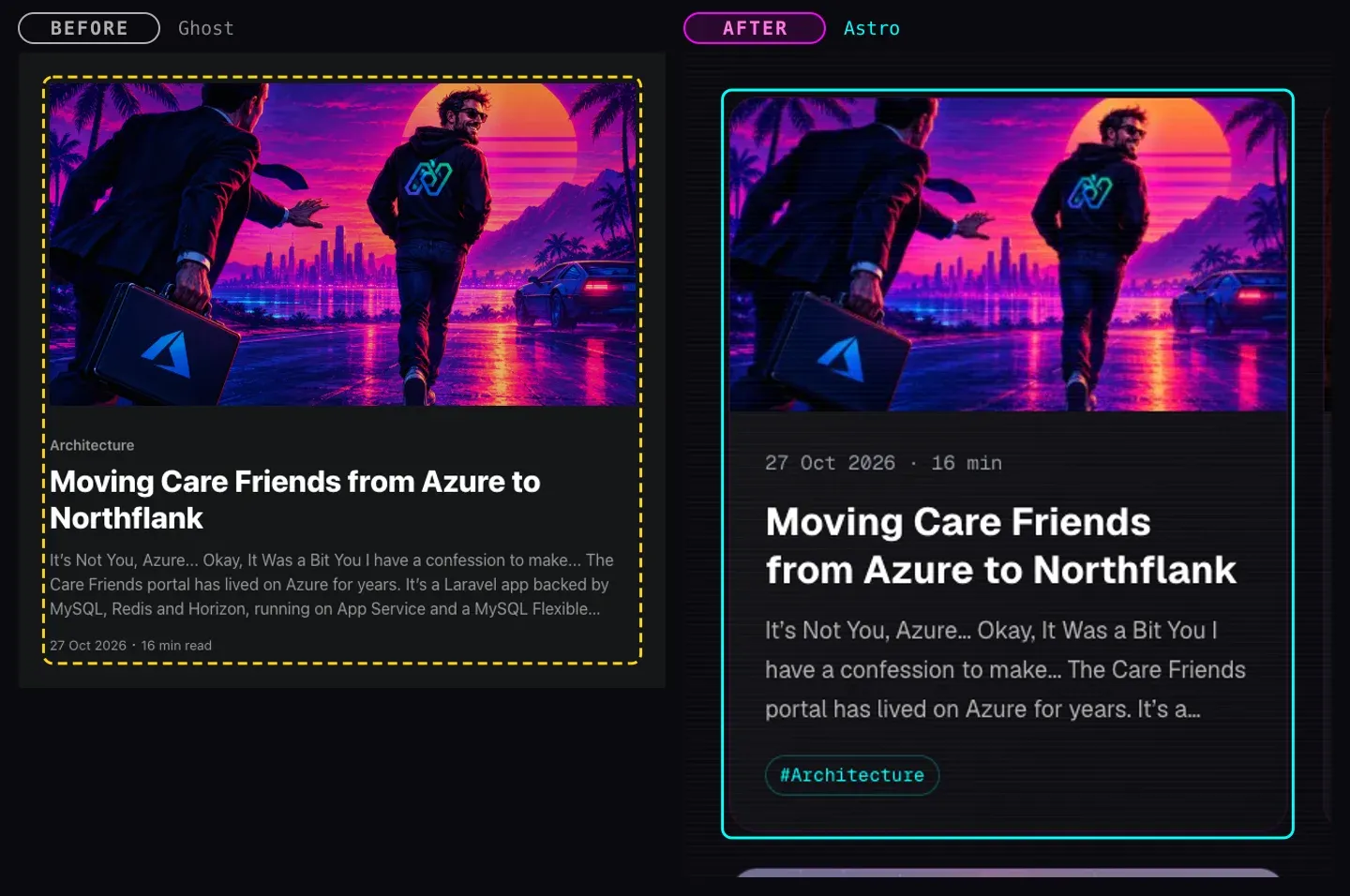
| The post feed | Post cards, with a big card for the newest post |
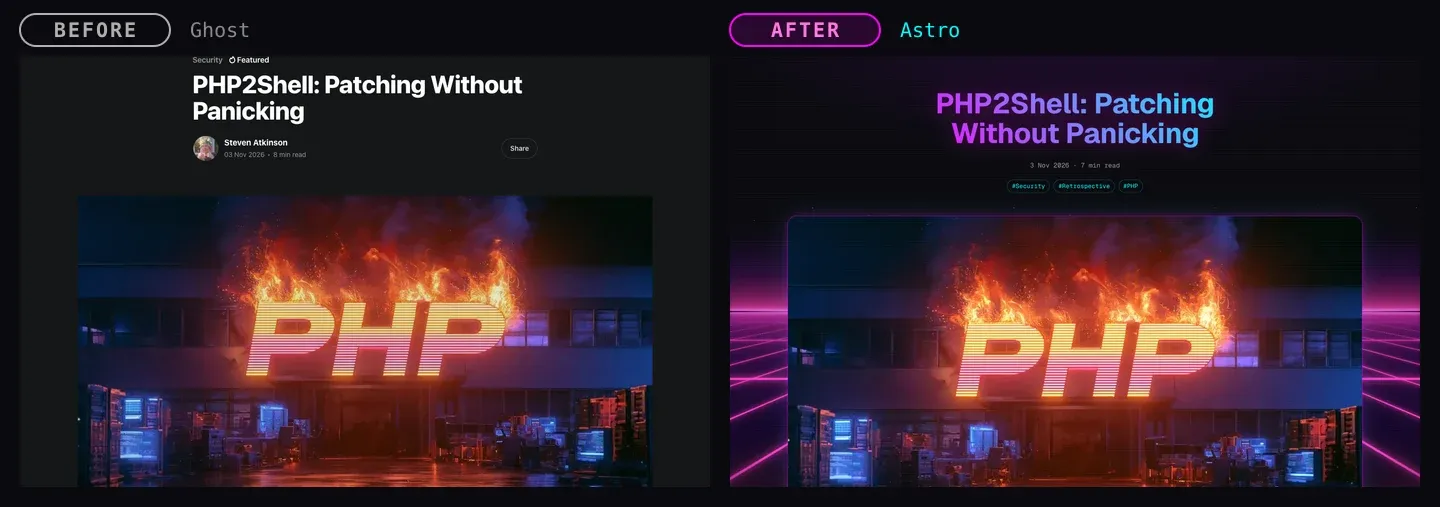
| The post header (title, date, feature image) | The same hero block, with the date and tags underneath |
| Paragraphs, headings, lists, quotes, code | A rich text block, written in Markdown |
| Image and gallery cards | An image block |
| YouTube and Vimeo embeds | A video block that only loads the player when you press play |
| Toggle cards | An FAQ block |
| Callout and bookmark cards | Styled HTML inside the rich text |
| Signup and member cards | Gone! No more members 👋 |
Nine block types cover every post I've ever written. Each one is a React component plus a Zod schema, and Astro turns them into plain HTML when the site is built. React never runs in your browser. The little JavaScript there is just adds polish (search, video players, page transitions and the fancy clouds, more on those in a minute), and everything still works without it.
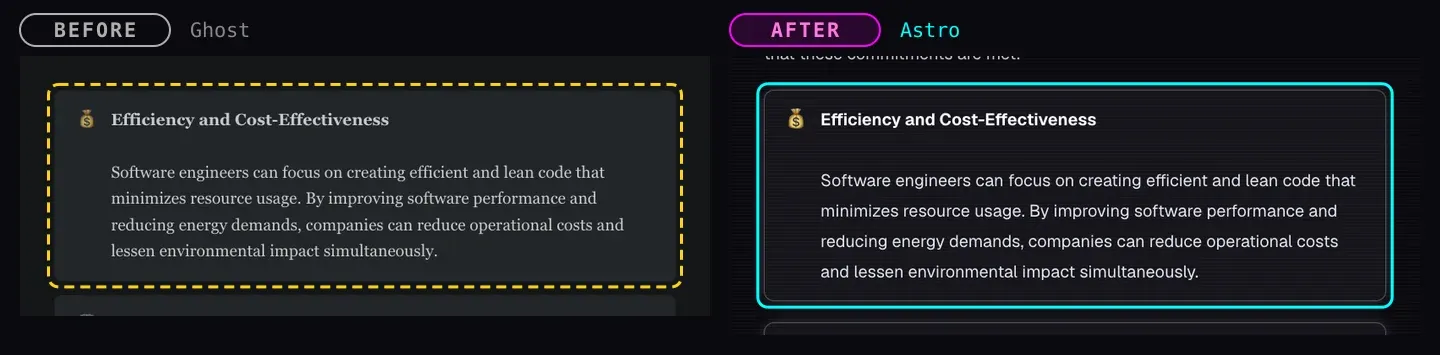
Here's how some of those pieces changed. The dashed yellow outline is the old version, the cyan one is the new one.
The editor cards were the fiddliest part. Ghost stores each post as HTML with its own card markup, so the import (more on that below) had to recognise each card and turn it into something the new site understands. Callouts and bookmarks became simple styled HTML, and code blocks went through Shiki at build time with the synthwave-84 theme, so they're highlighted without a single line of JavaScript in your browser.


Borrowing from the day job (the other one)
I also run a consultancy on the side, and stevenatkinson.consulting (opens in a new tab) already has a look I like: a near-black background, magenta and cyan neon, Geist for the type and a few retro terminal touches. My blog's feature images have been synthwave for years, so it felt like the two should finally look like they belong together.
So I took the consultancy site's palette as the starting point:
:root {
  --bg: #0a0a0f;
  --primary: #ff00ff;   /* magenta */
  --secondary: #00ffff; /* cyan */
  --accent: #ff2a6d;    /* hot pink */
  --gradient: linear-gradient(45deg, var(--primary), var(--secondary));
}
And here's where I had to catch myself. My first pass took the inspiration a little too literally. There were $ ls ./posts prompts above every heading, a $ ssh mrstebo.co.uk header... it looked like a terminal that happened to have a blog in it, not a blog 🤦♂️
So I dialled it back. The colours, the glows and the glass panels stayed, but the blog got its own identity: a glitching MRSTEBO wordmark in the header (hover over it, I dare you), plain blog-style labels everywhere else, and enough of its own personality that you won't think you've ended up on the consultancy site by mistake.

Moving 131 posts without breaking a link
This was the part I was most nervous about. I've been writing here since 2019, and there were 131 posts, 4 pages and a lot of tags.
Ghost has a Content API, so I wrote an import script that pulls every post down and turns its HTML into blocks:
- runs of normal content become rich text (HTML to Markdown, via Turndown),
- image cards become image blocks, with the original image downloaded into the post's folder,
- YouTube embeds become video blocks, toggle cards become FAQs, and so on.
Every post is checked against the same schema the build uses before it's written to disk, so a broken import can't sneak through.
Two things surprised me:
- The images. The first full import downloaded 1.1 GB of PNGs. That's... not something you want in a Git repo. Converting them to WebP (at most 2000px wide, which is the biggest size the site ever serves) brought it down to 185 MB, with no visible difference.
- The file names. Most of my feature images come from Midjourney, which names files after your prompt:
mrstebo_a_synthwave_image_showing_a_brain_with_data_flowing_.png. Lovely. So the import now strips that back to something a search engine might actually appreciate:brain-with-data-flowing.webp.
And the links? I took every URL from Ghost's sitemaps (346 of them) and checked each one against the new site. Posts are still at /<slug>/, tags at /tag/<tag>/, pages at /page/2/. The handful that didn't exist any more, like the old /rss/ feed and author pages, now redirect.
Hosting it (for pennies)
The whole site is a folder of static files, so it lives in Amazon S3 behind CloudFront, deployed with SST v4, exactly like my other side projects. When I merge to main, GitHub Actions builds the site and deploys it. No servers, no database, no admin login.
A few other bits replaced things Ghost used to do for me:
- Search uses Pagefind, which builds a search index at the same time as the site. Press
⌘K(orCtrl K) and give it a go. There's still no server involved: your browser only downloads the bits of the index it needs. - Analytics come from PostHog, set up so it doesn't use cookies at all. So no cookie banner either.
- RSS still works, with the full content of each post, so feed readers don't notice a thing.
The fun bits
OK, I'll admit it. Once the boring parts worked, I got a bit carried away 😁
Go and look at the home page. The sun, the low-poly mountains and the neon grid are all CSS, with the grid scrolling towards you. The clouds, though, are a tiny fluid simulation running on your graphics card. The air drifts on a gentle breeze, the clouds are smoke carried along by it, and if you move your mouse through them you'll stir them up. Even my portrait gets in on the act, breathing out magenta and cyan smoke from its ring.
It only runs on desktops, it pauses when you scroll away, and if your device asks for reduced motion it draws the clouds once and leaves them still. Is it necessary? Absolutely not. Did I learn a lot about fluid dynamics in shaders? Absolutely yes.
The gnarly bits...
Of course, it wasn't all smoke and neon. The first time I deployed to production, GitHub Actions went red with this:
ServiceQuotaExceededException: Limit exceeded: Maximum size of the value in a key value pairA quota? For a static site? 🤔
It turns out SST's StaticSite keeps its routing information in a CloudFront KeyValueStore, and one of those values lists every folder at the top of the built site. Keeping every Ghost URL means every post gets its own folder at the top level (/leaving-ghost-for-astro/, /books-i-enjoyed-in-2024/...), plus every tag and every /page/N/. That list came to a few kilobytes, and CloudFront caps a single value at 1 KB. Every new post would only make it worse.
The list doesn't really need to be there for a site like this one. SST's edge router checks for top-level files first, and anything else just goes to S3 with index.html on the end. A single catch-all / route does exactly the same job, so a small $transform in sst.config.ts swaps the long list for that one route before it's written:
$transform(
  { __pulumiType: 'pulumi-nodejs:dynamic:Resource' } as any,
  (args: any, _opts: unknown, name: string) => {
    if (!name.startsWith('BlogKvKeys')) return;
    args.entries = $util.output(args.entries).apply((entries: Record<string, string>) => {
      const metadata = JSON.parse(entries.metadata);
      metadata.s3.routes = ['/'];
      return { ...entries, metadata: JSON.stringify(metadata) };
    });
  },
);
Every URL still works, and the value stays tiny however many posts I write. That's the trade-off with owning the whole stack: there's no Ghost support team to fix it for you, but you do get to learn something along the way.
Open source?
Could other people use this? Honestly... maybe! The block system, the builder, the Ghost import and the SST setup would make a nice starter for anyone wanting to leave Ghost (or WordPress) for something they own.
But I also know myself. An open-source project needs someone to answer issues, review pull requests and keep dependencies up to date, and right now I don't have the time to do that properly. So no promises. If it ever happens, you'll read about it here first.
What's next
I've got a few more posts on the way that go deeper into how it all works:
- building new pages with the local page builder,
- creating a new block, from schema to component, and
- deploying it all to AWS with SST v4.
In the meantime, have a wander around, stir up some clouds, and if you spot something broken... you know where to find me ☕